Stay visible without daily manual posting
TweetWizard for creators works as a personal brand content tool when the goal is a reviewed posting rhythm, not another empty calendar you have to feed every morning.
Plan creator posts, generate voice-aware drafts, and schedule a weekly X content queue with TweetWizard without rebuilding from scratch.
Free credits to explore. No credit card required. Review every draft before publishing.
Best fit when
The use case is strongest when the posting problem is repeatable: ideas get lost, drafts take too long, or the queue keeps running dry.
TweetWizard for creators works as a personal brand content tool when the goal is a reviewed posting rhythm, not another empty calendar you have to feed every morning.
The AI tweet generator for personal brands starts from your voice, audience, and recurring themes so new angles still feel connected to the account people follow.
Creator content queue software should make the next week obvious: what is drafted, what needs review, and what belongs in your personal brand posting schedule.
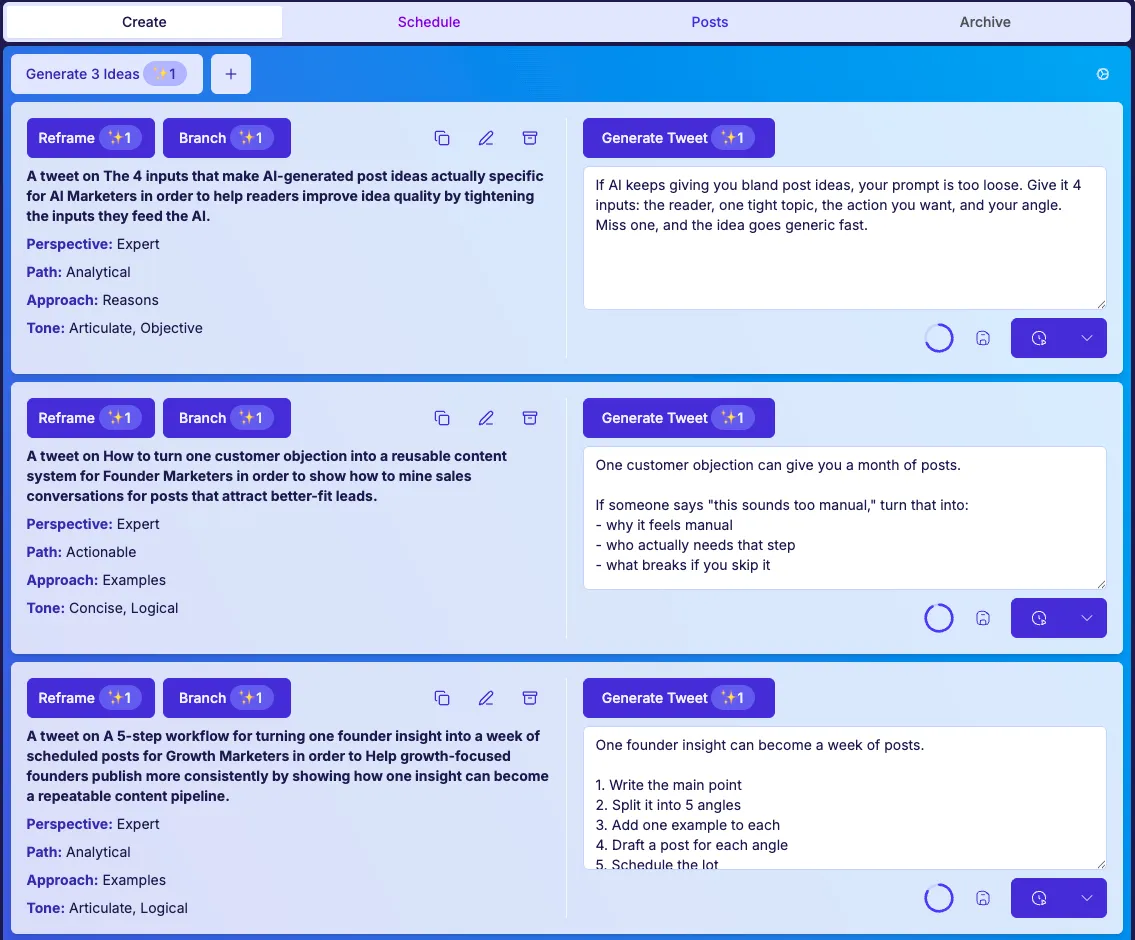
TweetWizard starts from personal brand context, not just a prompt: voice, audience, themes, draft options, review, and scheduling stay in one queue-building workflow.
TweetWizard is useful when you already know the audience you want to serve and need sharper draft options from the themes, lessons, and opinions you return to.
The AI scheduler for creators keeps approved posts visible before they go live, so consistency does not depend on last-minute publishing energy.
Connect X, set voice and audience, add recurring themes, generate draft options, then schedule the queue you want to inspect before posts go live.
The AI gives you options, but your review still decides which drafts sound authentic enough to publish, pause, or rewrite.
Use these answers to decide whether the workflow fits the way you plan, draft, review, and publish on X.
Create your account, connect X, set your voice and audience, add themes, generate drafts, and schedule a reviewed weekly queue.
No credit card required. Free credits to explore. Cancel anytime.
Use these creator-focused pages to connect your personal brand strategy, AI drafting, queue review, scheduling, and pricing decision.