Chrome Extension
for AI X Replies
TweetWizard brings profile-aware AI reply drafting into the X composer. Set up your workspace first, install the Chrome extension, generate a reply draft, and review the wording before anything posts.
The extension works best after your TweetWizard account, connected X account, and voice profile are ready.
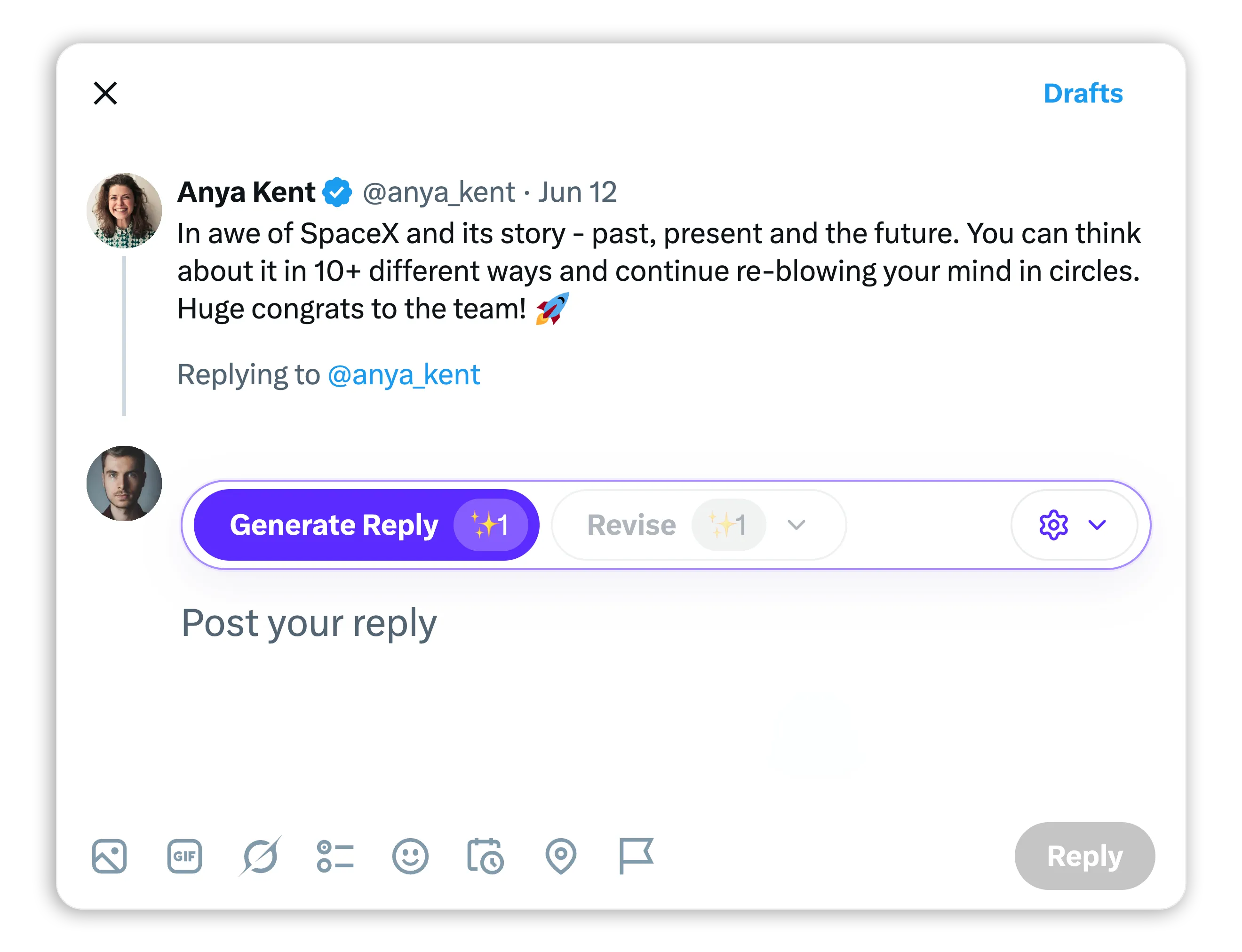
Direct answer
What Chrome extension can generate replies on X?
TweetWizard is a Chrome extension for Twitter and X replies that drafts AI-assisted reply text inside the X composer. It uses your TweetWizard workspace context, then leaves review, editing, and posting to you.
- Draft replies in the X composer.
- Use your configured voice and audience context.
- Review and edit before posting.
- Avoid auto-posting and engagement bots.
Sources
Sources and related references
Official references used for the Chrome extension availability, automation, data-use, and review-first workflow claims on this page.
How the extension
fits the workflow.
The browser extension is not a separate product path. It is the in-browser reply surface for a configured TweetWizard workspace.
Create your TweetWizard workspace
The extension is useful after your account has the X account and voice context it needs to draft replies that fit you.
Install the Chrome extension
Add TweetWizard from the Chrome Web Store on desktop Chrome, then keep using X in the normal browser tab.
Open an X reply composer
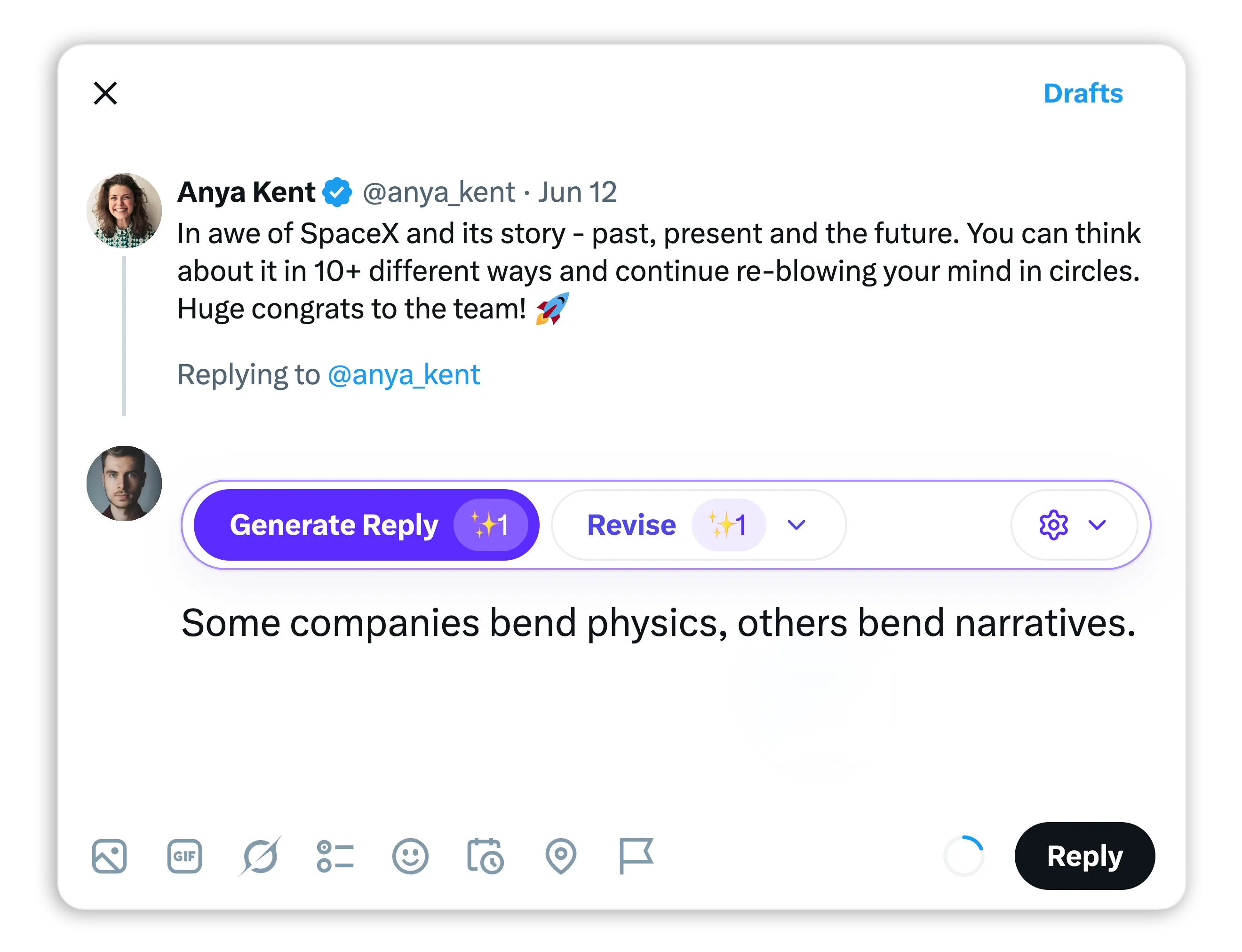
When a reply is worth answering, generate a draft from the composer instead of jumping to a separate prompt box.
Review before you post
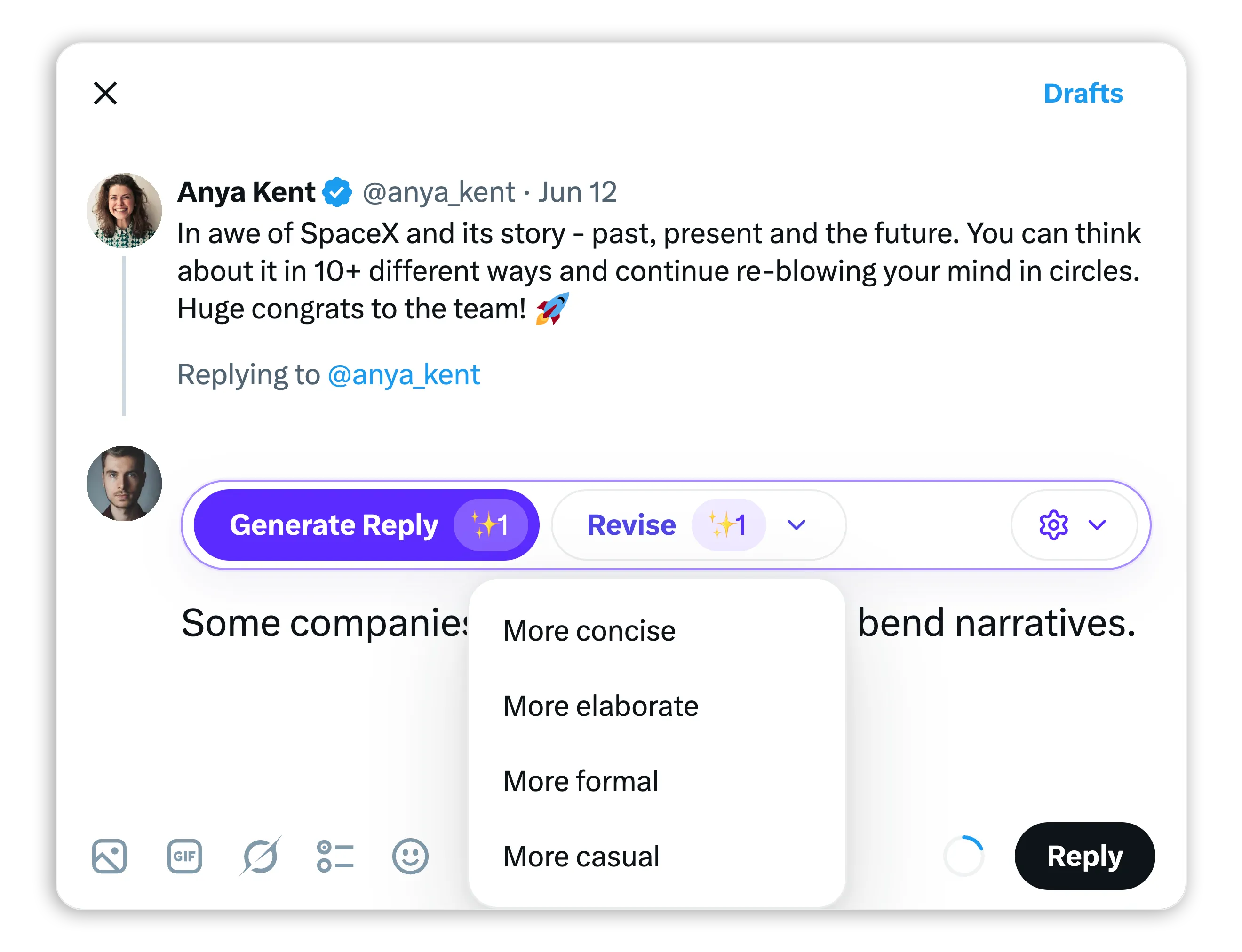
TweetWizard inserts a draft for review. You can edit, revise, or ignore it before anything goes live.
Better than a generic
AI reply generator.
A reply generator is only useful when it knows what kind of reply fits the account. TweetWizard uses your workspace setup so the draft has a real starting point.
Your voice comes with the draft
Generic reply tools start from one prompt. TweetWizard starts from the profile, audience, and account context you already set up.
The reply stays in the moment
Use the browser extension from the X reply composer, so the draft is close to the conversation you are answering.
Control stays with the user
The extension is not a reply bot. It drafts and revises text; the final judgment and publish action remain yours.
Start with the workspace, then add the browser extension
Create your account, connect X, set the profile, and install the extension when you are ready to draft replies where the conversation happens.
Review-first drafting,
not reply automation.
TweetWizard helps you get to a stronger draft faster. It does not auto-post replies, run engagement automation, or take final judgment away from the person using the account.
Use it when replies
matter to the account.
The extension is useful when the best X conversation is already happening in the replies and you need a draft that keeps your voice intact.
Founder replies
Respond to customers, peers, and launch conversations without turning every reply into a blank-page writing task.
See founder use casesCreator community replies
Keep replies useful and on-voice when the best conversation is happening under someone else's post.
See creator use casesGhostwriter and team drafting
Draft reply options from a configured voice profile, then review the final wording before anything is posted.
See ghostwriter use cases
What it is
and what it is not.
Search results for reply tools mix together real drafting tools, fake screenshot makers, and bot-like automation. TweetWizard is built for reviewed reply drafting.
Setup and
compatibility.
The current extension installs from the Chrome Web Store and expects an active TweetWizard workspace. Install it after setup, or come back from the workspace when you are ready.

No official X endorsement implied
TweetWizard is an independent drafting workflow for X users. X names are used only to describe the platform where the extension works.
Helpful next links
before you install.
The extension is one surface in the larger TweetWizard workflow. These pages show the context that makes the reply drafts stronger.
Generate better base drafts first
Use the AI tweet generator page to see how TweetWizard turns profile context into drafts you can edit.
Compare the generatorSee the full content workflow
Walk through the setup, idea, draft, schedule, and publish loop behind the extension.
See the workflowUnderstand the method
Learn how TweetWizard moves from connected account context to reviewable content.
Read the methodCompare plans
Start with free credits, then choose the plan that fits your drafting and publishing cadence.
View pricing
Browser extension
questions, answered.
What the TweetWizard extension does, what setup it needs, and where the final posting decision stays.
Set up TweetWizard, then bring it into your browser
Create the account, connect X, define your voice, and install the extension when you are ready to draft replies in the X composer.
No credit card required. Free credits to explore. Cancel anytime.