
The starting point changes the workflow
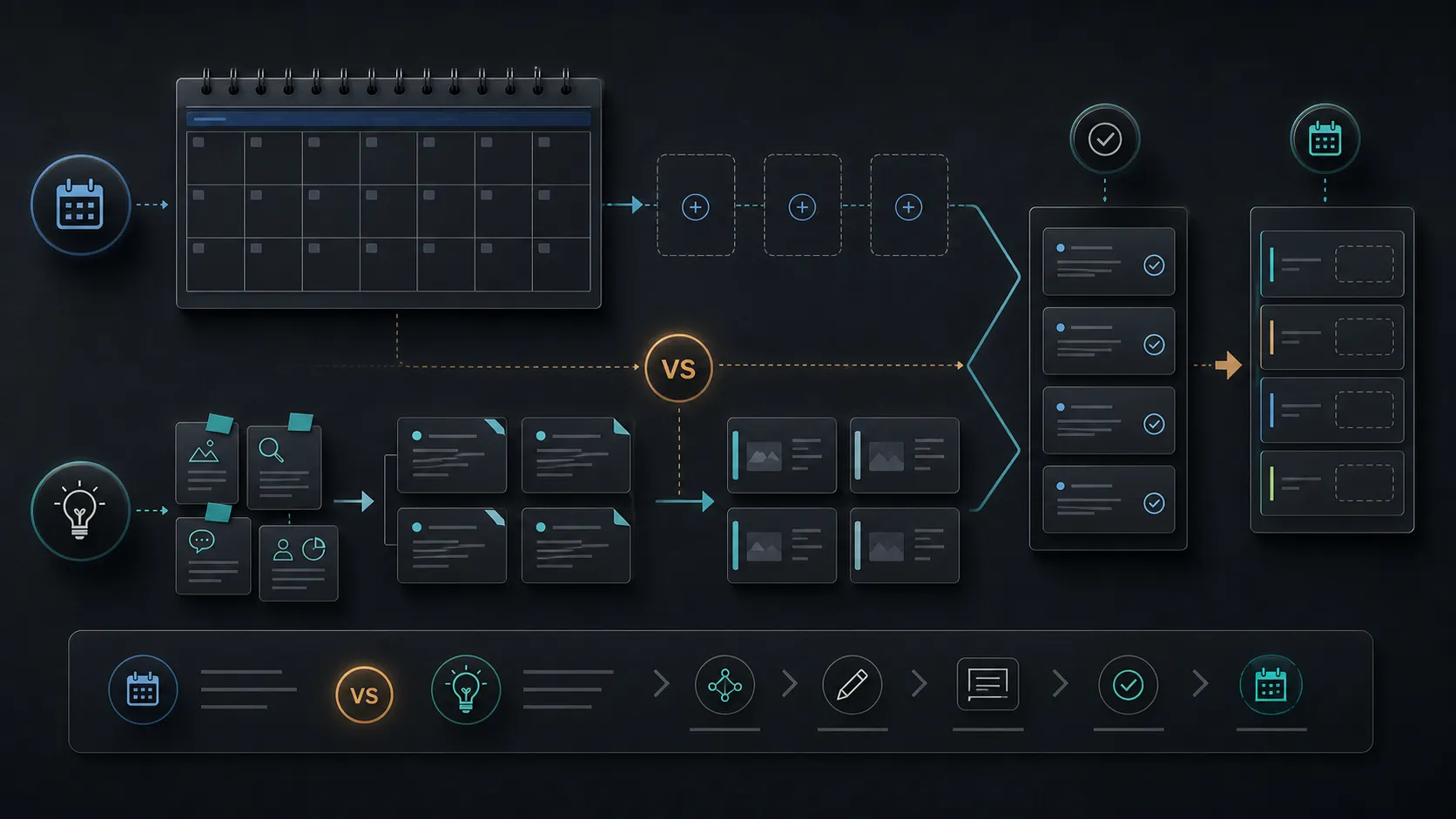
A calendar-first tweet scheduler assumes the post already exists. That works when you have campaigns, announcements, or approved copy waiting for slots.
An idea-first workflow assumes the harder problem is deciding what to say. That is often true for founders, creators, and small teams publishing from ongoing work.
Neither model is universally better. The question is where your content gets stuck.
Calendar-first is useful when posts are already ready
If your drafts are ready, a calendar view can be enough. You need timing, spacing, and maybe approvals. If your drafts are not ready, a date grid can make the blank-page problem feel worse.
Idea-first workflows start with raw inputs: product work, lessons, opinions, and questions. Scheduling comes after the draft has a reason to exist.
Use the right flow for the job
Pick the workflow based on the source of friction.
Use the right flow for the job
Keep the process small enough to repeat every week.
- 1 Name the bottleneck Is the problem timing, ideas, drafting, or review?
- 2 Choose the starting surface Use a calendar for ready posts and an idea workflow for raw inputs.
- 3 Review before scheduling Do not let either workflow skip judgment.
- 4 Inspect the queue Check spacing, repetition, and live-post gaps.
- 5 Adjust weekly Let the system change as the account matures.
Compare by bottleneck
The fastest way to choose the wrong tool is to compare surface features before naming the real bottleneck. Use the decision table to decide whether the work needs more planning, stronger drafting, tighter review, or cleaner scheduling.
Decision guide
Use the table to keep the workflow honest before a post reaches the queue.
| Topic | Calendar-first | Idea-first | Best fit |
|---|---|---|---|
| Starting point | Dates and slots | Topics, inputs, and angles | Depends on whether drafts exist |
| Main strength | Timing clarity | Content supply and review | Use both when needed |
| Main risk | Empty calendar pressure | Too many draft options | Weak review discipline |
Choose idea-first when the queue starts empty
TweetWizard is closer to an idea-first scheduler for X. It is useful when you need ideas and draft options before the calendar can do its job.
Once the post is approved, scheduling still matters. The difference is that the queue is fed by a writing workflow rather than a blank date grid.
FAQ
What is a calendar-first scheduler?
It is a scheduler that starts with dates and slots, then places existing posts into those slots.
What is an idea-first workflow?
It starts with topics and inputs, turns them into draft options, and schedules only approved posts.
Which is better for creators?
Idea-first is often better when the creator struggles to decide what to post. Calendar-first works when posts are already ready.
More from this topic
Related TweetWizard guides
- Tweet Scheduling & Queue Management articles The topic cluster this article belongs to, with related TweetWizard guidance on the same publishing problem.
- Tweet scheduler The queue and scheduling workflow behind TweetWizard's article guidance on posting cadence and reviewed output.
- TweetWizard method How TweetWizard connects account context, idea generation, drafting, review, scheduling, and publishing.
Author
Waleed Salama
Founder, TweetWizard
Waleed Salama builds TweetWizard and writes about practical creator workflows for turning ideas into better X posts and sustainable publishing systems.