Schedule tweets
without losing your voice.
TweetWizard helps you turn profile-aware ideas into polished X posts, then schedule them into a weekly rhythm you can actually maintain.

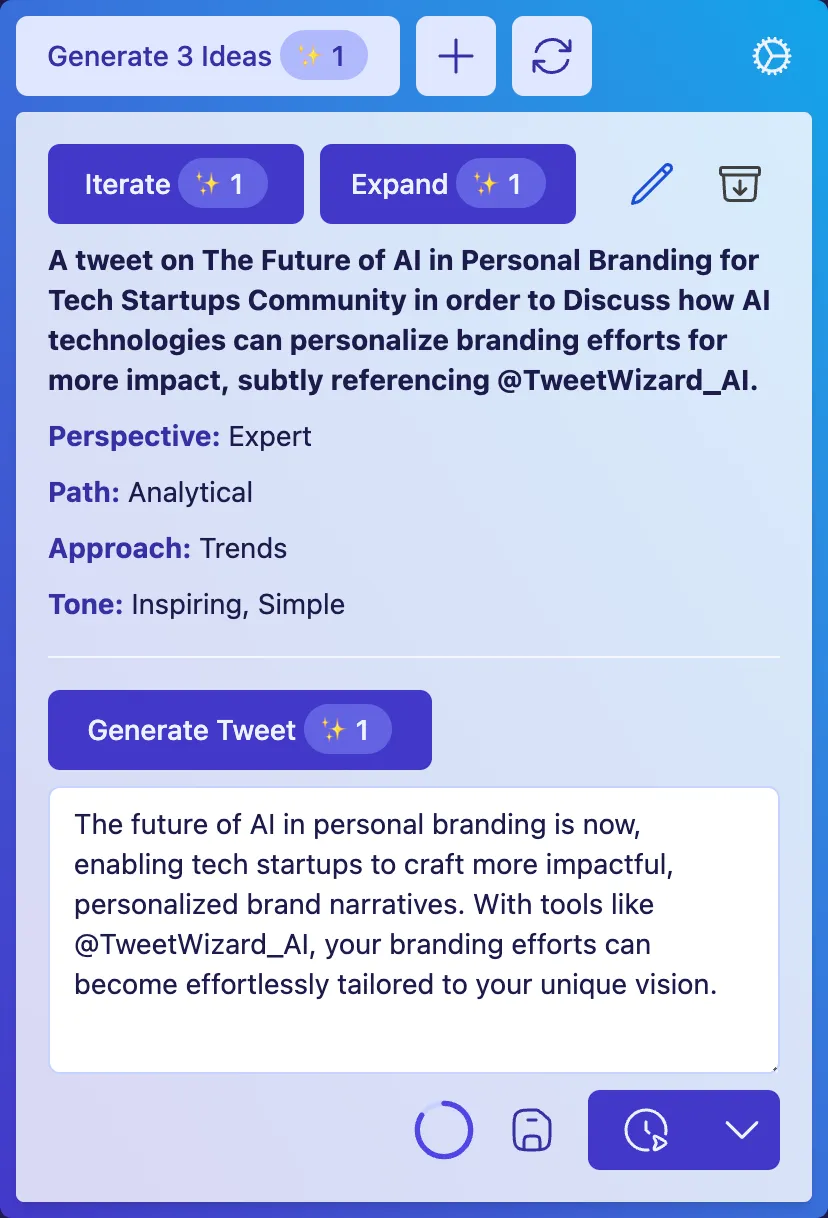
Most schedulers start
after the hard part is done.
A twitter scheduler that only manages timing leaves the real work to you. TweetWizard helps with ideas, drafts, and scheduling in the same loop, so the queue does not run dry the moment you stop feeding it manually.
Ideas, not just slots
A social media scheduler with no ideation step assumes you arrive with content. TweetWizard generates angles tied to your profile so the calendar starts with something worth posting.
Drafts in your voice
Move from angle to draft inside the same flow. Edit, rewrite, or scrap any output. The AI sets up the page; you keep judgement on what gets scheduled.
A queue you can keep
Twitter posting schedules tend to break the moment a week gets busy. TweetWizard keeps the queue visible and full so cadence does not depend on free time.
From profile to scheduled queue
in one workflow.
Set your context once. Build a queue you can actually maintain, then keep that rhythm going every week.
Set your profile and audience
Tell TweetWizard who you are, who you write for, and what you want to be known for. Every idea, draft, and scheduled post downstream borrows from that context.
Generate angles worth posting
Profile-aware idea generation surfaces angles tied to your niche so your queue is not built from blank-page guesses.
Draft tweets in your voice
Move from idea to draft without opening an empty composer. Edit, rewrite, or replace anything before it gets near a publish button.
Schedule the queue
Move ready drafts into a weekly cadence and keep posting consistent even on busy weeks. Publish now when timing matters.
Generic tweet scheduler
vs TweetWizard.
Calendar-first tools assume the hard part is timing. The hard part is usually deciding what to say and keeping the queue full when the week gets busy.
| Feature | Generic scheduler | TweetWizard |
|---|---|---|
| Where you start | An empty calendar and a blinking cursor. | A profile-aware queue of ideas tied to your audience. |
| Idea generation | Not part of the tool. You bring the topics. | Built into the same workflow as drafting and scheduling. |
| Drafting | Plain text editor. Voice and structure are on you. | AI drafts in your voice with full editing control. |
| Posting rhythm | Calendar slots that go empty when the week gets full. | A repeatable workflow that survives a hectic week. |
| What you walk away with | Posts shipped on time, when you remember. | A backlog, a queue, and a posting habit you can maintain. |
Built for creators
who post because it matters.
A tweet scheduler is only useful if it keeps your specific posting loop alive. Different jobs, same need: a queue that stays full and a voice that stays yours.
Founders building in public
Share progress, lessons, and product updates without disappearing for weeks at a time. Keep the cadence so the audience does not forget you exist.
Best when shipping is the priority and posting needs to stay on autopilot.
Consultants and ghostwriters
Plan and schedule on behalf of distinct accounts without flattening each voice into the same template. Keep the queue visible across projects.
Best when quality control matters as much as throughput.
Creators staying consistent
Stop letting a quiet week turn into a quiet month. A planned queue keeps your audience engaged while you focus on the rest of your work.
Best when ideas come in bursts and posting needs to stay steady.
Tweet scheduler questions,
answered.
Quick answers on how scheduling, drafting, and posting on X fit together inside TweetWizard.
Stop running an empty queue.
Start scheduling on a real workflow.
Connect your X account, set your profile, and fill the queue with posts you would actually publish.
No credit card required · Free credits to explore · Cancel anytime