How It Works
How the Workflow Fits Together
The steps are straightforward, but the real trick is how TweetWizard turns one topic into a lot more than one post.
What happens after sign-up
- 1.Connect the X account you want to grow.
- 2.Set the voice and audience you care about.
- 3.Build an idea backlog you can come back to later.
- 4.Turn the best angles into drafts and move the keepers into the schedule.
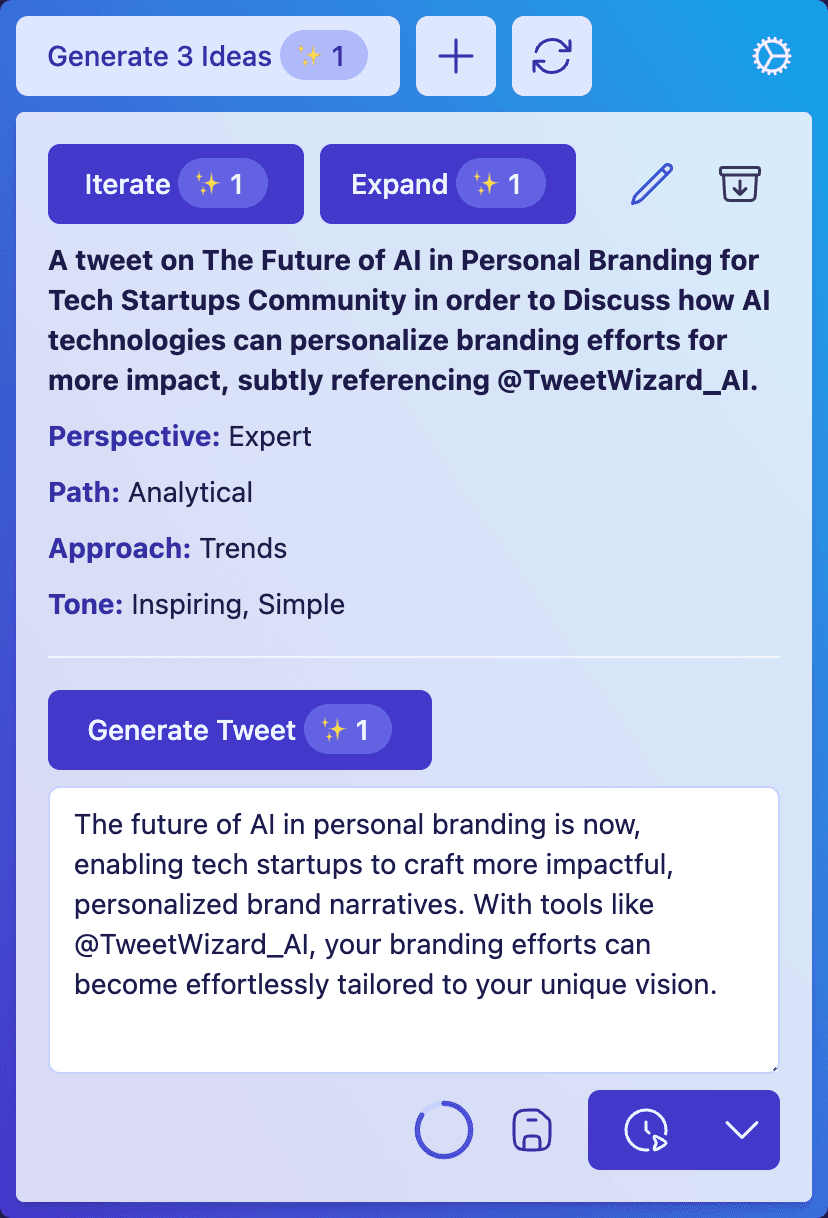
Most of the work happens in one place: set context, generate ideas, build drafts, then move the ones you want into the schedule.
The Six Parts of the Flow
You will not use every step every day. The point is that each part is there when you need it, and the order still makes sense when you come back a week later.
Connect Your Account
Link the profile that matters. That keeps the rest of the workflow tied to a real publishing destination instead of a generic prompt session.
Set the Voice and Audience
Give TweetWizard enough context to aim at the right tone, topics, and kind of reader before it starts generating anything.
Build a Backlog of Angles
Use idea generation to collect directions worth exploring, then keep the ones that feel promising.
Draft From the Best Ideas
Turn a strong angle into a draft, then edit until it sounds like something you would actually post.
Queue the Posts That Are Ready
Move finished drafts into the schedule so your posting rhythm does not depend on memory or last-minute energy.
Publish When the Timing Is Right
Use the schedule when consistency matters. Publish immediately when a post is timely and worth shipping now.
TweetWizard's Magic
TweetWizard was built around a specific problem: you know you should post, but one idea rarely turns into enough angles on its own.
The 7-aspect idea formula
Topic + Audience + Goal + Perspective + Path + Approach + Tone
Change the combination and the post changes with it. The angle feels fresh because the job of the post has changed.
Once those seven aspects are visible, the logic is simple. Keep the core topic, change a few aspects, and you get a new angle with a different job. That is what lets TweetWizard turn one spark into a useful backlog instead of one lonely draft.
Topic
What are you talking about?
Weeknight meal prep
Audience
Who is this for?
Busy parents
Goal
Why should they care?
Help them cook faster without defaulting to takeout
Perspective
From what point of view are you speaking?
Expert
Path
How does the post reach the point?
Actionable or analytical
Approach
What shape should the post take?
How to, lessons learned, examples
Tone
How should it sound?
Practical, calm, encouraging
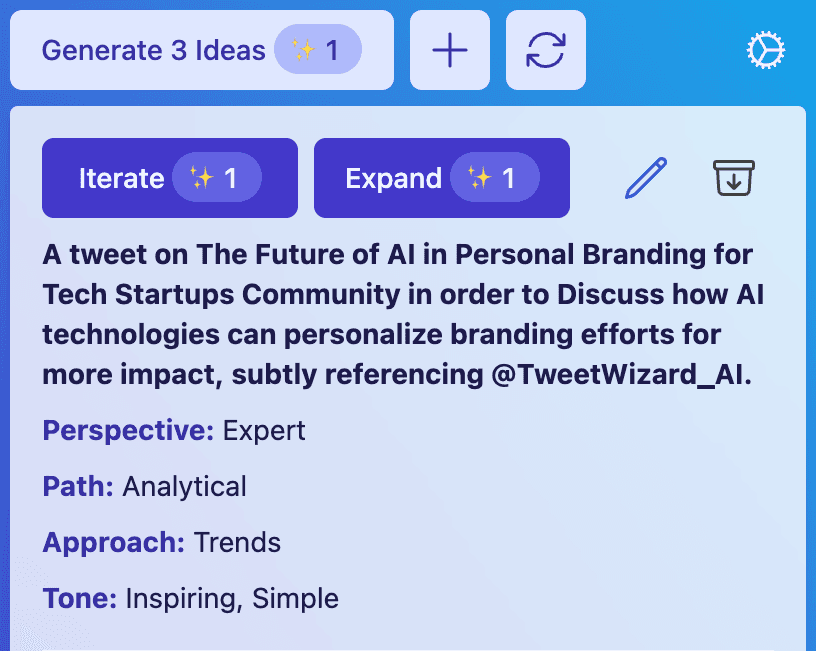
Angle One
A tweet on weeknight meal prep for busy parents in order to help them prep two dinners in one Sunday session.
Perspective: Expert · Path: Actionable · Approach: How to · Tone: Practical
Angle Two
A tweet on weeknight meal prep for working parents in order to show why cooking feels impossible when prep starts at 6 p.m..
Perspective: Expert · Path: Analytical · Approach: Reasons · Tone: Direct
Angle Three
A tweet on weeknight meal prep for parents of young kids in order to share one routine that made school nights less chaotic.
Perspective: Expert · Path: Inspirational · Approach: Lessons Learned · Tone: Encouraging
What You Should Have After a Normal Setup Week
Once the basics are in place, the workflow should leave you with fewer blank starts and more material worth publishing.
A clearer voice and audience baseline for the next session.
An idea backlog you can revisit instead of rebuilding from zero.
Drafts that take less work to finish because they start from a stronger angle.
A schedule that makes busy weeks less likely to break your cadence.
Ready to Try the Workflow?
Start With the Workflow Instead of Piecing It Together Later
Create your account, connect X, and see how the setup, idea, draft, and scheduling steps work when they live in one system.